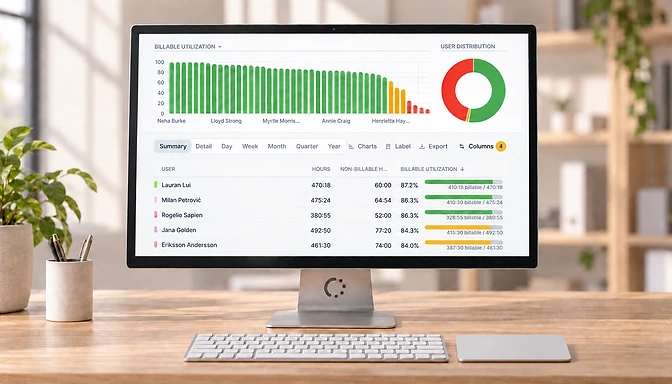
Visualize your reports
Get a quicker insight in your data with the new charts.
Get a visual overview of your reports by clicking the chart button located above all reports. You can zoom in on the report, export it to an image or PDF or hide it again if you don’t need it. Just press the chart button again to do so.
Another small improvement to the reports is the addition of the reset button. This will reset any filters you selected to their default value.