Time tracking app for software developers
Plan delivery with actual time from Jira
Developers log time without leaving Jira Cloud. Delivery managers can compare logged hours with project budgets, catch overruns early, and use issue-level history to improve estimates for similar work.
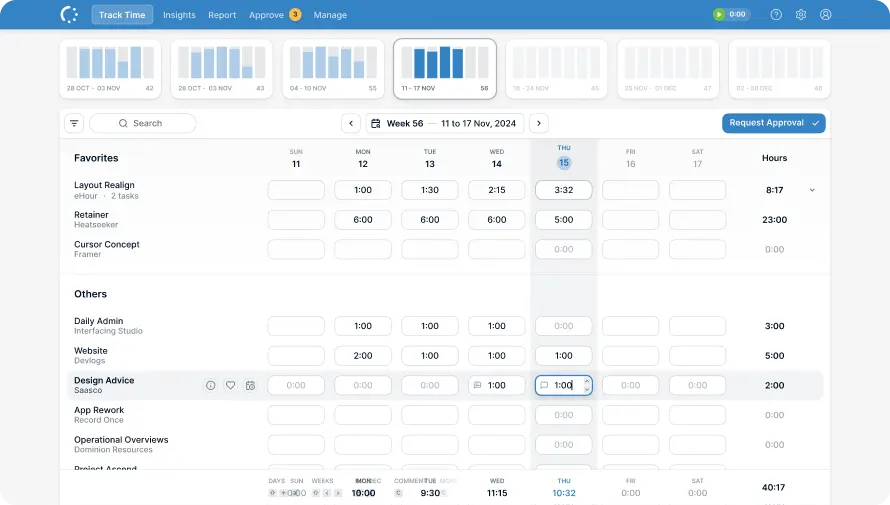
From Jira issue to delivery plan
Hours logged against Jira issues show which projects are consuming more budget and which types of work take longest.
Features
Log time without leaving Jira
Install eHour for Jira Cloud and map the projects you want to track. Developers start a timer or add hours inside the issue; each entry lands in eHour for approvals and reporting.
- Website 18 / 40 h · 22 h left
- Mobile App 52 / 60 h · 8 h left
- API Platform 58 / 52 h · 6 h over
See how much budget each project has left
Set an hour budget for each project and watch the remaining balance change as work is logged. When logged hours start outrunning the budget, adjust the scope or staffing before the delivery date moves.
- WEB-142 Checkout flow rework 14h 30m
- WEB-107 Payment provider integration 9h 15m
- WEB-151 Search results caching 6h
- WEB-129 Onboarding email flow 3h 45m
See which issues took the most time
Each synced Jira issue becomes a task in eHour, so reports show hours per issue. See where the work concentrated, then use that history when you plan similar work.

Use actual time to improve the next estimate
Compare planned project hours with what the team actually logged. Use completed work to estimate similar projects and decide where scope or staffing needs attention.
The essentials built in
Jira time entry, project budgets, and issue-level reports in one system.
Jira Cloud App
Start a timer or add hours directly inside a Jira issue.
Weekly Grid & Timer
Track as you work or enter a full week from one screen.
Project & Issue Reports
Compare logged hours by project, Jira issue, or eHour task.
Contracted vs Actual
Compare contracted hours with logged hours for a selected period.
REST API
Connect projects, users, time entries, and reports to internal tools.
ISO 27001 & GDPR
EU hosted. Certified security. No activity monitoring.
What do our users say?
From the very beginning, eHour has been the backbone of our invoicing and time-management processes. The daily automated reporting gives us clear, actionable insights into key metrics across all ongoing projects. Its user-friendly time-entry interface ensures that our project teams submit their hours accurately and on time. eHour has become an essential part of our delivery model.

René Søndergaard
Director of Corporate Finance at PEAK Wind
Try eHour free for 14 Days
Set up in minutes. No card, no call with sales.
No credit card required
Access to all features
Takes seconds to get started
Then €4.99 ($5.49) per user per month