Timesheet Approval Software
Approve and lock time before invoicing
With a configurable approval workflow, eHour locks hours on submission and routes them to the right people for review. Once approved, they are ready for pay-out or billing.
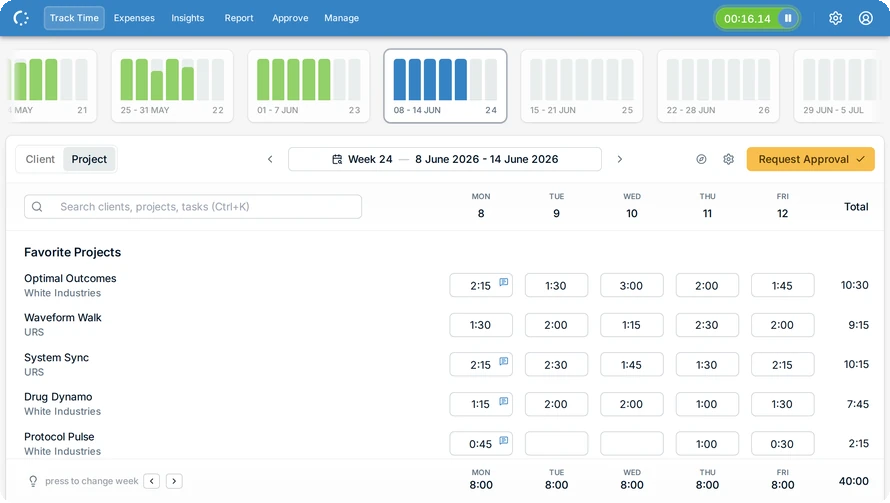
From approval chain to closed period
Timesheets go to the right reviewer automatically. Once submitted, hours are locked and can be approved in bulk. Rejected timesheets can be returned with a comment, while automatic reminders prompt users who forget to submit.
Features
Send each timesheet to the right reviewer
Flexible approval flows. Let team managers review complete timesheets while project managers approve only the hours booked to their projects. Adjust the flow for individual users and assign backup reviewers to keep approvals moving.
Keep submitted hours from changing
Automatic locking. Timesheets are locked as soon as they are submitted, so hours cannot change during review. They stay locked after approval, and admins can close an entire period after payroll or invoicing.
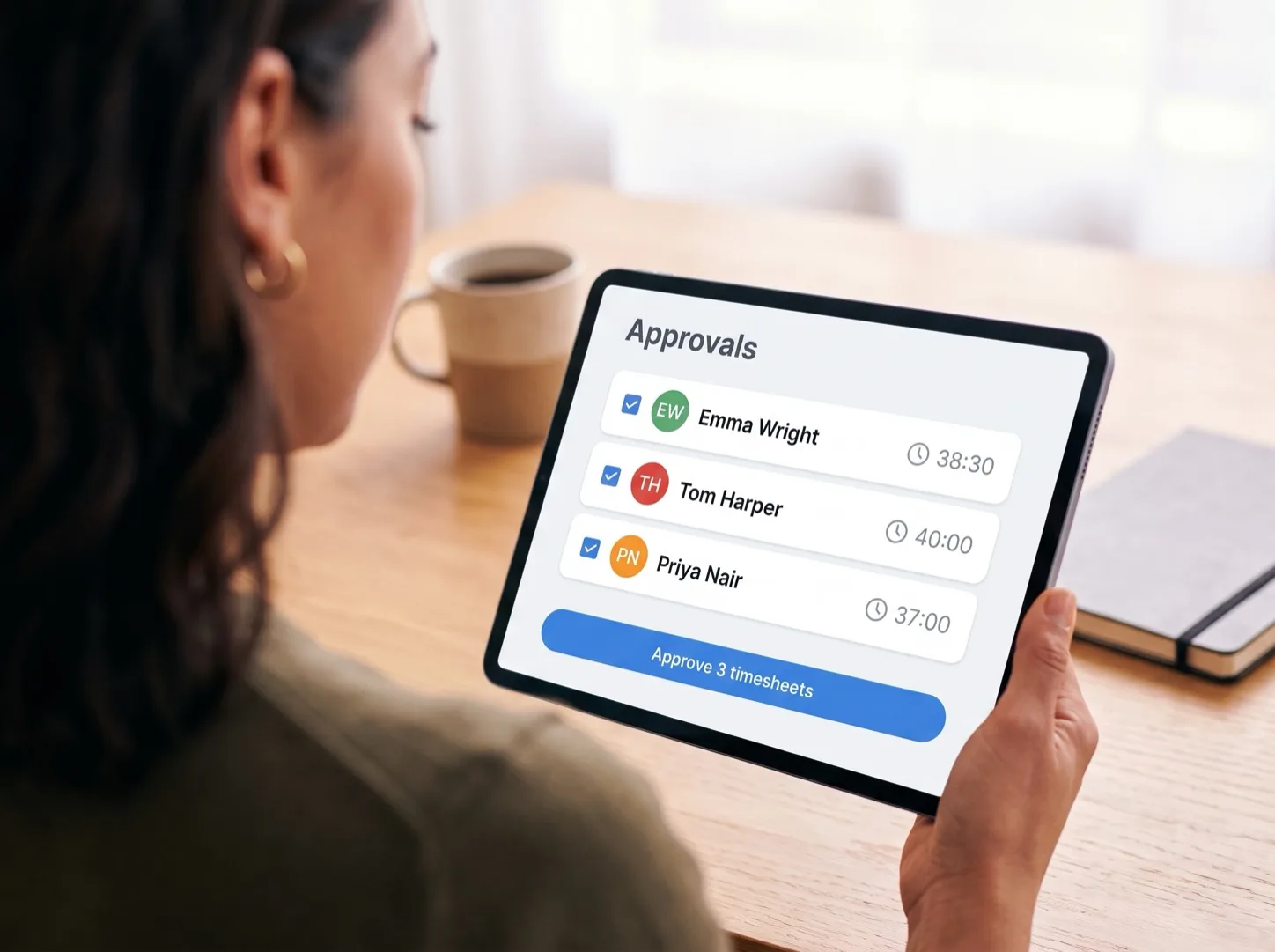
Approve in bulk
Less admin for reviewers. Approve routine timesheets in one action, saving reviewers repetitive work. If one needs correcting, send it back with a comment.
Invoice and pay approved hours only
Approval-ready reporting. Filter reports by approval status and use reviewed hours for payroll or invoicing. Ready-made reports show what has been approved and what is still waiting for review.
Approval Features
Everything you need to collect, review and lock submitted hours.
Multi-Level Approvals
Route timesheets through multiple approvers. Team lead, PM, finance: in any order you need.
Reminders
Automated nudges for anyone who hasn't submitted and any reviewer with timesheets waiting. Nobody has to chase.
Time Locks
Close periods and prevent edits. Last month stays closed.
ISO 27001 Certified
Independently audited security. International standards for protecting your timesheet data.
EU Hosted & GDPR
Your data stays in Europe. Fully GDPR compliant. No activity tracking, no surveillance.
SSO and SCIM
Microsoft Entra ID and Google SSO with SCIM provisioning for automatic user management.
What do our users say?
I love how intuitive and adaptable eHour is, with plenty of ready-made reports that are easy to customize. The support team is quick to respond and truly committed to finding solutions. The constant improvements and new features are a great bonus.

Inga Kuncaitė
Reiz Tech
Approvals that keep moving
Try eHour free for 14 days.
No credit card required
Access to all features
Takes seconds to get started
Then €4.99 ($5.49) per user per month