
7 Best Harvest Alternatives in 2026
Compare honest pricing, real limitations, and how each tool actually works once your team grows.
If you're searching for Harvest alternatives, something probably changed. After Bending Spoons acquired Harvest in mid-2025, a lot of teams saw their pricing shift in ways they didn't expect. That's enough to make you reconsider, even if the product itself still works fine.
We build one of the tools on this list (eHour), so take this with the appropriate grain of salt. We've tried to be fair to every product here, but we're not pretending to be neutral.
Most of these tools are good at capturing time. The harder question is what happens to that data afterwards - can you invoice from it, run payroll from it, report on project budgets from it without someone cleaning it up first? We looked at seven alternatives with that question in mind.
It is easy to underestimate the cleanup work. Give thirty people a tracker with loose project naming and you may end up with "Philips", "Philips Electronics", and "Philips - Q2 campaign" logged as three separate projects. Someone in finance then has to reconcile them by hand before invoices go out. We ranked these tools with that downstream cost in mind, not just by how quickly someone can start a timer.
What actually matters when replacing Harvest
When evaluating alternatives: focus on what will matter after the first week. Not how easy it is to log time, but what happens to that data afterwards.
- Pricing transparency. Can you predict your bill as your team grows?
- Approval workflows. Do you have a clear review step before hours are used for billing or reporting?
- Reporting depth. Can you answer real questions about utilization and budgets?
- Integrations. Does it connect to your existing stack, including SSO and SCIM?
- Data portability. Can you get your data out without friction?
Miss any of these and you'll likely end up rebuilding the same workarounds you had before.
Quick Comparison
Prices checked August 2026
| Tool | Best For | Starting Price | Free Plan | Key Strength |
|---|---|---|---|---|
| eHour | Predictable pricing, no upsell | $4.99/user/mo, billed yearly | 14-day trial | EU-built: time, attendance & expense tracking |
| Toggl Track | Best-in-class UX | $9/user/mo | Up to 5 users | Fast timer + 100+ integrations |
| Clockify | Budget-conscious teams | Free (paid from $3.99) | Up to 5 users | Low-cost paid tiers |
| Timely | AI automatic tracking | $9/user/mo | No | AI-drafted timesheets |
| Everhour | PM tool integrations | $8.50/user/mo | Up to 5 users | Embedded in Asana, Jira, etc. |
| TimeCamp | Value AI tracking | $3.99/user/mo | Unlimited users | AI tracking at lower cost |
| QuickBooks Time | QuickBooks/payroll users | $10/mo + $8/user/mo | No | Payroll + GPS + kiosks |
The 7 best Harvest alternatives for teams
eHour: structured time tracking with approvals and predictable pricing
Starting price: €4.49/user/month (annual) or $4.99/user/month (annual)
Trial: 14-day free trial
This is us, so we'll keep it brief and honest. If your main reason for leaving Harvest is pricing unpredictability or a lack of structure, eHour approaches the problem differently from most tools in this list.
Time entry starts with assignments. Project managers first set up the projects and tasks and assign them to the team. Users then log time against those predefined assignments, either via the weekly timesheet or with timers. Structure comes first. The first time you pull a budget report and don't have to fix anything, you'll see why that matters.
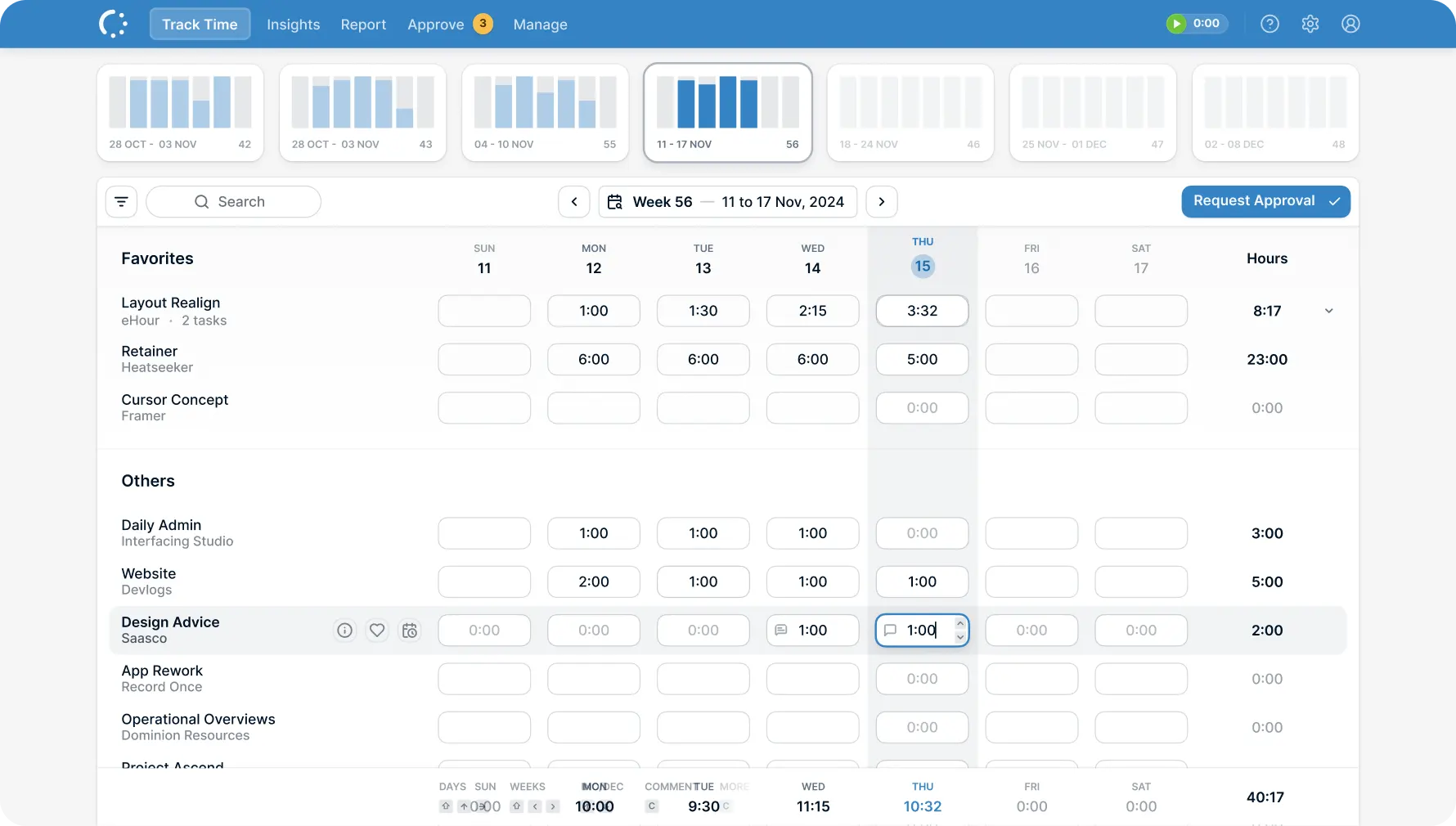
What every switcher gets from us: multi-level approval workflows with fallback routing, project budget tracking, reporting that works because the data is structured from the start, and a native Jira integration that lets users track time without leaving Jira. One plan, all features included, such as SSO, SCIM, and a full REST API. ISO 27001 certified. For teams in Europe: eHour is built by a Dutch team, and hosted and supported in the EU.
Already decided to leave Harvest and want the detail? Our head-to-head Harvest vs eHour comparison covers pricing tier by tier, what sits behind Harvest's Enterprise plan, integrations in both directions, AI agent access, and how to migrate.
"Since the start, eHour has been central to our invoicing and time management. Its automated reports provide clear insights across projects, and the intuitive time-entry interface helps teams submit accurate hours on time. eHour is an essential part of our delivery model."
 René Søndergaard Director of Corporate Finance, PEAK Wind
 "I love how intuitive and adaptable eHour is, with plenty of ready-made reports that are easy to customize. The support team is quick to respond and truly committed to finding solutions. The constant improvements and new features are a great bonus."
 Inga Kuncaitė Reiz Tech
 Toggl Track: best UX, great integrations, strong reporting
Starting price: $9 to $18/user/month (annual)
Free plan: Yes, up to 5 users
Best for: Small teams that value slick UX and broad integrations.
If we were freelancers or a five-person team tracking our own hours, we'd probably use Toggl. The timer is fast, the UI is genuinely friendly, and it's the product people recommend when someone says "I want time tracking that people will actually use."
If Toggl is on your shortlist, use the eHour vs Toggl head-to-head comparison to see how the two tools differ for timesheets, approvals, reporting, and team controls.
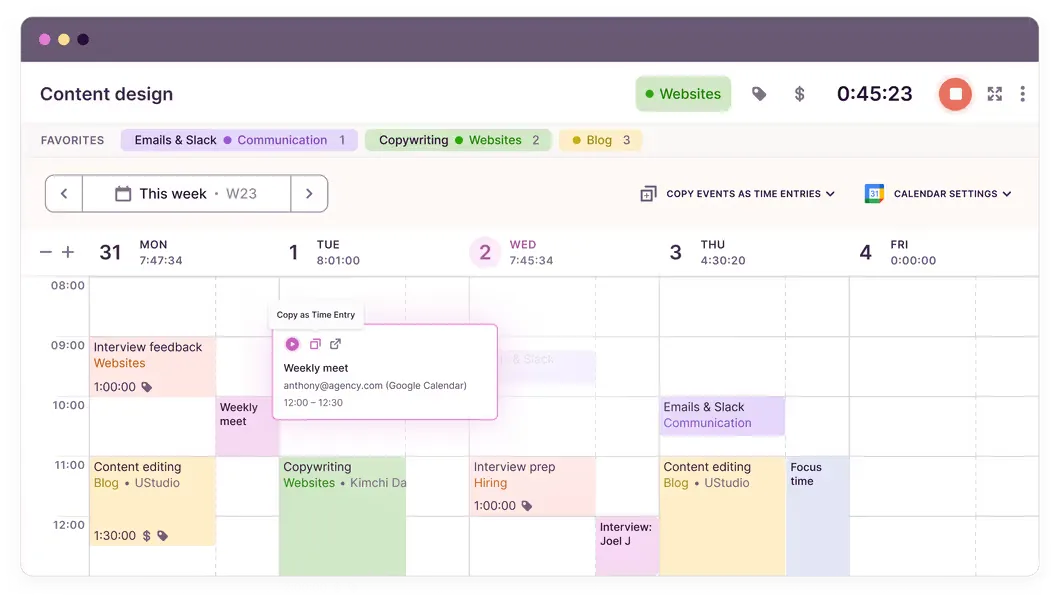
The UX is best-in-class - one-click timer, quick edits, 100+ integrations via the browser extension. Reporting is flexible and works well for individuals and small teams. The Premium tier adds profitability analysis, workload management, approvals, and SSO.
The catch: it gets expensive at scale. The free plan is basic, and approval workflows are only available on Premium ($18/user/month) - a big jump if approvals are why you're leaving Harvest.
For small teams that don't need formal approvals, Toggl is genuinely hard to beat. The friction starts when you outgrow the Starter plan and discover that approvals cost $18/user/month on Premium.
Clockify: low-cost plans with a small-team free tier
Starting price: Free, paid plans $3.99 to $11.99/user/month
Free plan: Yes, up to 5 users
Best for: Budget-conscious teams or startups that need basic tracking at zero cost.
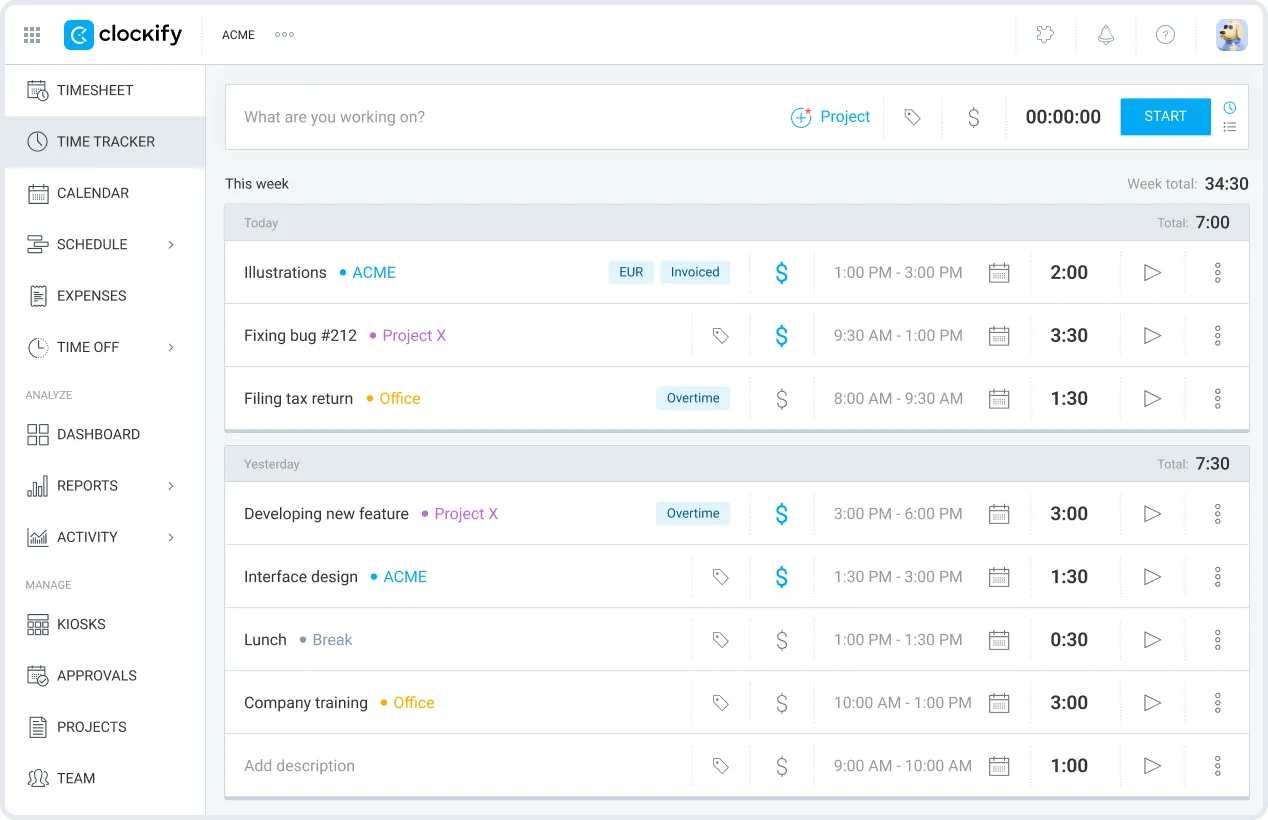
Clockify remains one of the least expensive ways to start. Its free plan supports teams of up to five people, and paid plans start at $3.99/user/month when billed annually.
Strengths:
- Free time tracking for teams of up to 5 users
- Solid fundamentals for time entry, timers, projects, and basic reporting
- Broader suite option with Plaky (project management) and Pumble (chat)
Limitations:
- Free plan lacks essentials like timesheet locking, invoicing, labor costs, and manager roles
- Teams doing client billing or internal controls usually need a paid plan
If you have five or fewer users and a $0 budget, Clockify is an obvious starting point. Larger teams need a paid plan, and most teams doing client billing or payroll will also need paid controls.
Timely: best for AI automatic time tracking
Starting price: $9 to $22/user/month (annual)
Free plan: No (14-day trial)
Best for: Teams that hate manual time entry and want AI to draft timesheets.
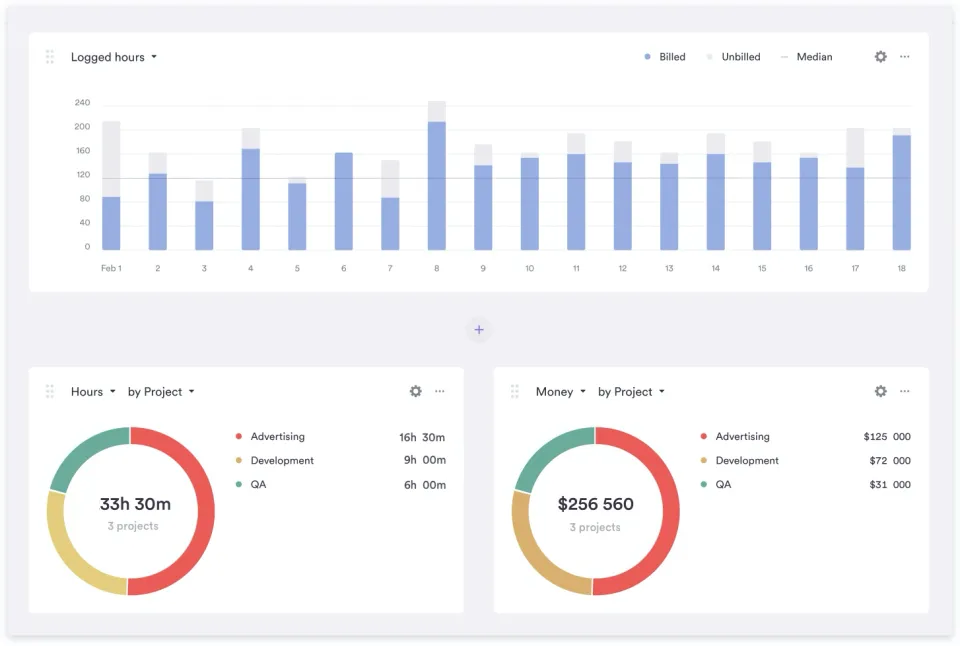
Timely is for the "I forgot to start the timer again" crowd. Instead of relying on perfect habits, Timely runs in the background and builds a timeline from app usage and calendar activity, then suggests time entries.
Strengths:
- AI-powered automatic tracking reduces manual effort and missing time
- Helps knowledge workers reconstruct days without guessing
- Especially helpful for roles that context-switch constantly
Limitations:
- Most expensive option in this list
- No free plan, you have to commit to trialing it seriously
- Requires desktop app installation, some orgs have IT constraints
- Starter plan limited to 5 users and 20 projects
Worth the premium if missed time is costing you real revenue. Skip it if your team is disciplined about logging hours - you'd be paying for automation you don't need.
Everhour: best embedded integrations with PM tools
Starting price: $8.50/user/month (annual), minimum 5 seats
Free plan: Yes, up to 5 users (but no integrations on free)
Best for: Teams already living in Asana, Jira, Trello, Basecamp, Monday, ClickUp, or GitHub.
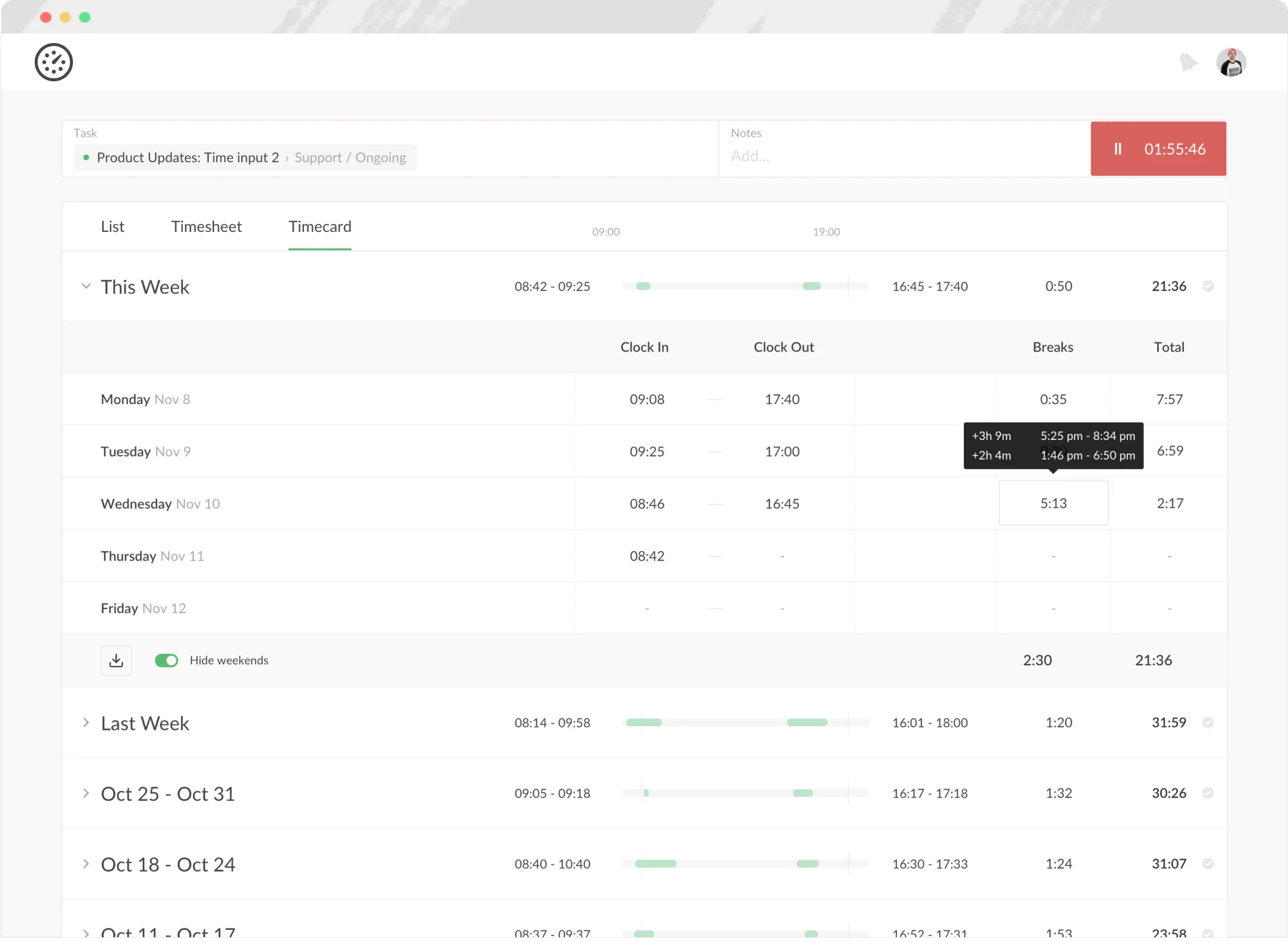
Everhour meets teams where they already work. Instead of switching tabs, time tracking is embedded directly inside your PM tool. That works brilliantly when your Jira or Asana project structure mirrors how you bill - less so when your PM hierarchy and your billing structure don't line up.
Strengths:
- Best-in-class PM integrations for Asana, Jira, Trello, Monday, ClickUp, Basecamp, and GitHub
- In-context tracking on tasks without breaking flow
- Less "new tool fatigue" because it feels like an extension of existing workflows
Limitations:
- Free plan has no integrations, which is the core value proposition
- Minimum 5-seat requirement, not ideal for very small teams or phased rollouts
Makes most sense when your PM tool's project structure already mirrors how you bill and report. If there's a mismatch between your Jira setup and your invoicing structure, the time data will inherit that problem.
TimeCamp: value pick for AI tracking and discounts
Starting price: $3.99 to $9.99/user/month (annual)
Free plan: Yes, unlimited users
Best for: Teams that want AI tracking without Timely's price, plus organizations that qualify for discounts.
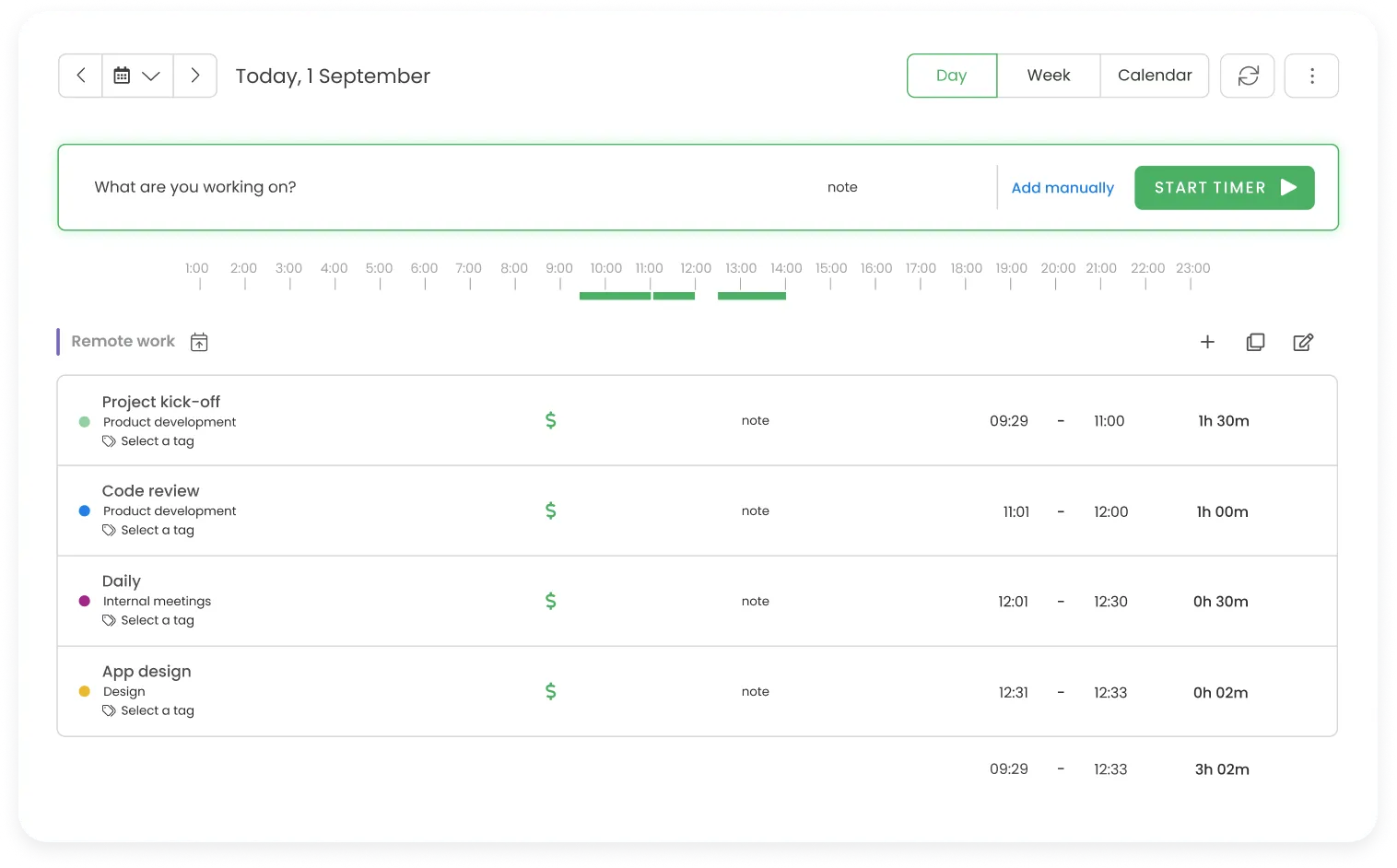
TimeCamp is a compelling middle ground: more automation than basic trackers, less expensive than premium AI-first tools.
Strengths:
- AI automatic tracking, similar idea to Timely at a lower price point
- Unlimited users on the free plan
- Around 25% annual discount and 30% discount for nonprofits and education
Limitations:
- Free plan limited to basic features and PDF export only
- Advanced features like screenshots, expenses, and approvals require the Ultimate plan
A solid middle option if you want some automation without Timely's price tag. The nonprofit and education discounts (around 30% off) make it especially worth considering for those sectors.
QuickBooks Time: best for payroll and the QuickBooks ecosystem
Starting price: $10/month base + $8 to $10/user/month
Free plan: No
Best for: Teams already in the Intuit ecosystem that need payroll integration.
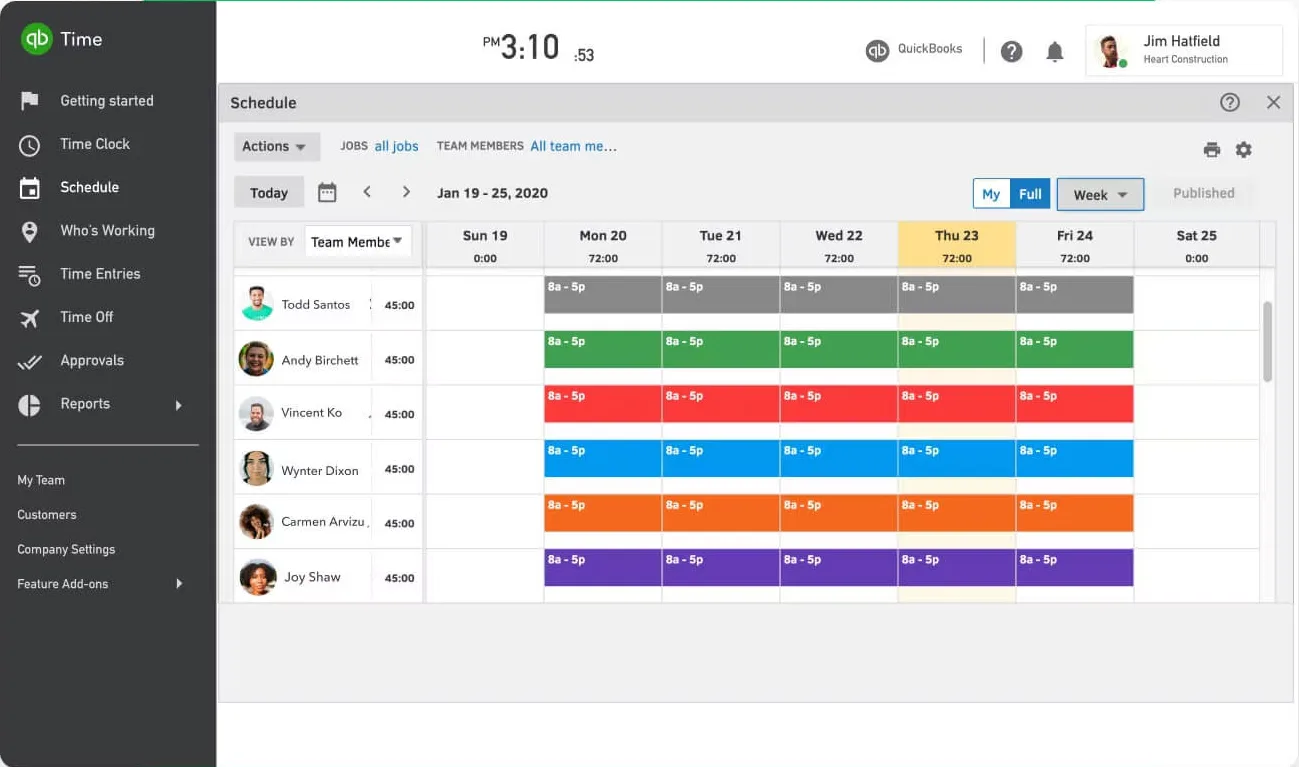
QuickBooks Time makes the most sense when time tracking is primarily a payroll input and you want minimal friction between time, payroll, and accounting.
Strengths:
- Seamless QuickBooks and payroll integration
- GPS tracking and geofencing for field services
- Time kiosk for shared devices and shift-based teams
Limitations:
- Requires QuickBooks Online subscription ($35+/month on top of QuickBooks Time)
- Highest total cost for many teams when factoring in all fees
- Overkill if you do not use QuickBooks
Only really makes sense if you're already paying for QuickBooks Online and running payroll through Intuit. For field teams that need GPS and kiosks, it's a natural fit. For everyone else, the total cost is hard to justify.
Final thoughts
Flexible tools are easier to roll out. Structured tools take more setup but less maintenance. Either you spend time configuring things upfront, or you spend time fixing data every month. Harvest landed somewhere in between, and most of these alternatives lean more clearly in one direction.
If you're leaving Harvest because of pricing, make sure the replacement doesn't just shift the cost from the subscription to the hours your team spends reconciling data.
We obviously think eHour is the right answer for teams that need approvals and structured reporting. But every tool on this list is good at something. Pick the one that matches how your team actually works, not the one with the longest feature list.
Still tracking hours in a spreadsheet? Pick from this list, or compare eHour with an Excel timesheet.