Time Tracking for Consulting Firms
Close the month with every billable hour accounted for
Give consultants a fast way to submit time across clients. Managers can see what is missing, approve the hours, and export them by client and rate without rebuilding the month in spreadsheets.
From timesheet to billing run
Hours move from the weekly timesheet through approval and into a client-level billing export, with missing submissions visible along the way.
Features

See what's missing before month-end
The submission overview shows which timesheets are open and which are waiting for approval. Automatic reminders contact people who have not submitted, so managers only follow up where needed.
Timesheets consultants actually submit
Consultants can enter a full week across every client from one screen or use the timer as they work. Both methods feed the same timesheet, which leaves managers with fewer gaps to chase before month-end.
Billable and non-billable hours
Keep billable utilization healthy
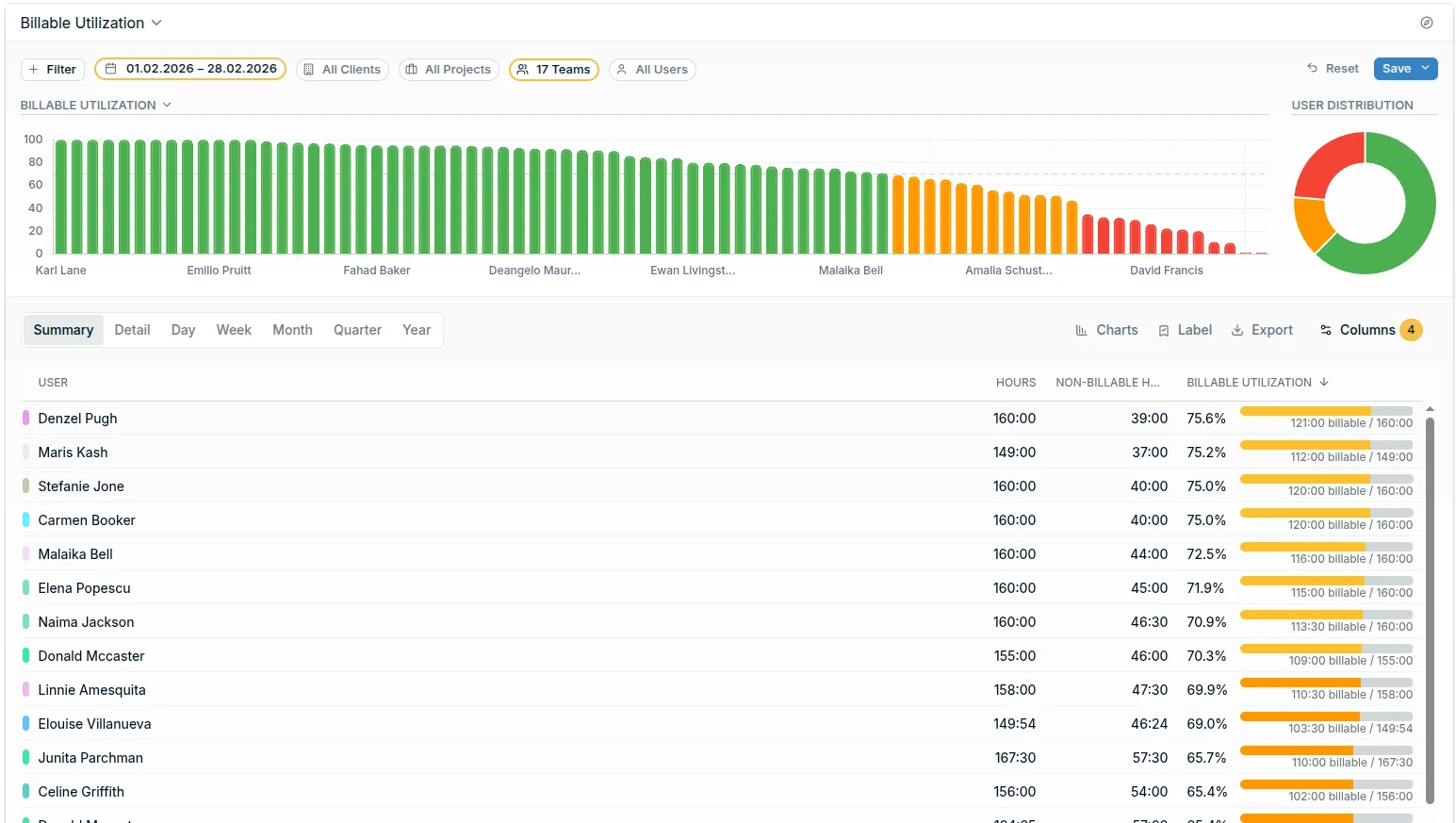
Compare billable and non-billable time by team or person. See when internal work is taking a larger share of logged time before it reduces revenue.
Export approved hours by client and rate
Submitted hours go to the right reviewer, and routine timesheets can be approved in bulk. Finance filters reports to approved time and exports the client, project, and rate breakdown used for invoicing.
The essentials, built in
Everything between a consultant's timesheet and the invoice.
Weekly Grid & Timer
Fill a week in one screen or track as you go, on any device.
Submission Status
See who has submitted and who still needs to submit.
Approval Workflow
Reviewers approve hours or return them with a comment.
Engagement Budgets
Set up each engagement as a project and track hours used vs remaining.
Reports & Export
Approved hours by client. Export to CSV or Excel for invoicing.
ISO 27001 & GDPR
EU hosted. Certified security. Client data protected.
What do our users say?
Our external project leader wanted first to have an overview of all hours logged per individual team member before invoicing the client. With eHour, I was able to have all data right there on my screen in a single comprehensible report. After scheduling it, it is sent by email every Friday to the project leader without any interference from me.

Casper van Schie
US Media
Try eHour free for 14 Days
Set up in minutes. No card, no call with sales.
No credit card required
Access to all features
Takes seconds to get started
Then €4.99 ($5.49) per user per month