Employee Timesheet Software
Let every team manage time. Keep oversight company-wide
Line, team, and project managers handle the people and work they own. Finance and IT keep one set of approval rules, access controls, locked periods, and reports across the organization.
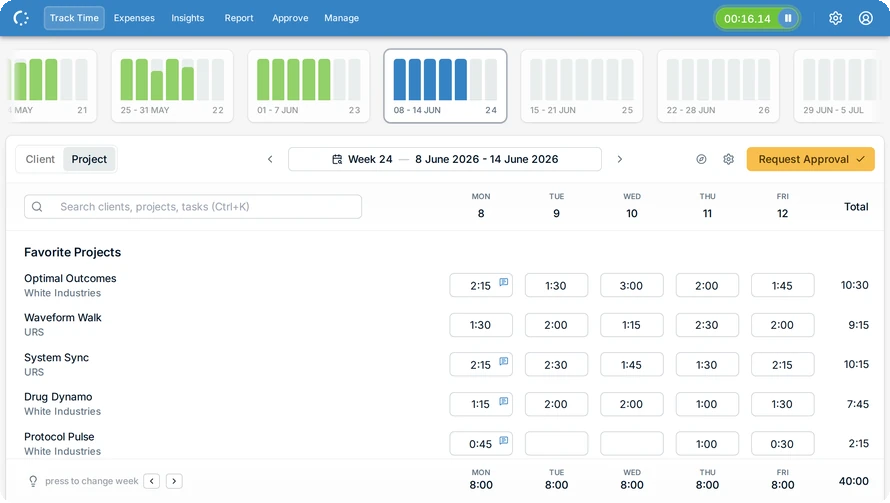
One system, different owners
Team managers handle their people, project managers handle project time, finance closes periods, and IT manages access. Each gets the scope they need without turning one administrator into a bottleneck.
Features
Give managers control of their own scope
Line managers work with their direct reports, team managers with their teams, and project managers with time booked to their projects. They see and approve only what they manage.
Built for the long run
TE-CON B.V. has developed and supported eHour for more than 10 years. Our EU-based product and support team works under ISO 27001-certified processes.

Manage access from your identity platform
Use Microsoft Entra ID SSO and SCIM to add, update, and deactivate accounts. Role-based access limits managers and reporters to the people, projects, clients, or reports they are responsible for.

Close the month with one set of numbers
Finance can filter utilization, budget, and approval reports across teams and departments, then lock a closed period against further edits. Every change and approval remains tied to a user and timestamp.
The controls built in
Bulk assignments, approval workflows, access roles, and identity management in one system.
Bulk Assignments
Update users and project allocations in bulk to keep changes controlled and consistent.
Time Locks
Close past periods so time and expenses cannot be added or changed.
Multi-Level Approvals
Match your approval structure with escalation and fallback options to prevent bottlenecks.
Role-Based Access
Give each stakeholder the right level of access, with clear separation of duties.
Full Audit Trail
See who changed, submitted, or approved an entry and when.
SSO & SCIM
Microsoft Entra ID SSO plus automated user provisioning to reduce admin work and keep access accurate.
What do our users say?
I wholeheartedly recommend eHour to anyone looking for a time tracking service. Not only is their API a joy to work with, but they have provided us with, hands down, the best customer service of any company I've worked with in the last 15 years, consistently going out of their way to accommodate even our steepest asks, up to and including custom changes to the API.

Zoltan G
Redguard
Try eHour free for 14 Days
Set up in minutes. No card, no call with sales.
No credit card required
Access to all features
Takes seconds to get started
Then €4.99 ($5.49) per user per month