
Track time without leaving Jira
Our native Jira app is now generally available on the Atlassian Marketplace. Start a timer, log hours, and see the history right inside the issue.
If your team lives in Jira, the hardest part of time tracking has always been the context switch. You finish a subtask, write a comment, move the issue along, and then open a second tab to tell eHour what you just did. Our native Jira app removes that second tab, and it’s now generally available on the Atlassian Marketplace.
What you get inside the issue
Every Jira issue gets an eHour Time Tracking panel. People log their hours where they already have the context, instead of reconstructing what they did from commit messages and ticket comments an hour later. Inside the panel you can:
- Start a timer against the issue and stop it when you’re done. The entry lands on the right day, against the right project, with the issue created as a task in that project.
- Add time manually, the same way you would in eHour itself: pick a date, type a duration, leave a short note.
- See every entry that has ever been logged against the issue, by you or anyone else on the project.
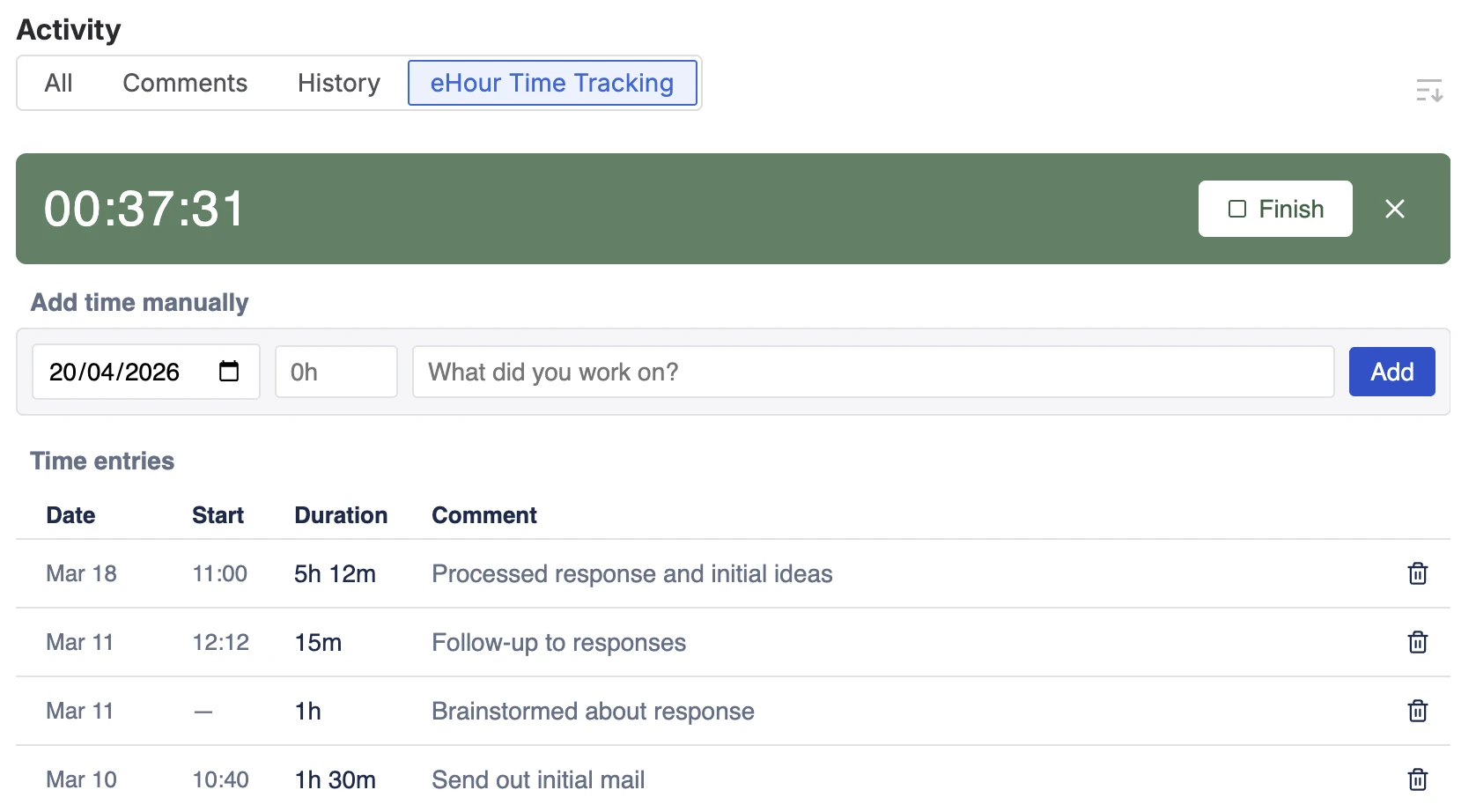
The hours still land in eHour itself, so approvals, invoicing, and your month-end reports keep running off the same entries. Nothing new to reconcile at the end of the week.
Why we built it this way
We already mirror Jira issues into eHour as tasks, so every ticket shows up in the timesheet without imports. That worked for people who already spend their day in the eHour timesheet. This release is for the other half of the team: the developer, designer, or PM who lives in Jira and would rather not open a second tab just to log the work they’ve already described in the ticket.
Getting it
The app is listed as eHour Time Tracking for Jira on the Atlassian Marketplace. An admin installs it, connects your eHour workspace, and configures which Jira projects map to which eHour projects; the panel then appears on every issue in configured projects. Setup notes and permission details are in the Knowledge Base.
Explore the rest of our integrations - SSO, SCIM, Power BI, REST API, and MCP - or start a trial if you want to try the Jira app against your own board.