Time Tracking Software for Lawyers
Never lose a billable minute
- Log hours against clients and cases in one weekly view.
- Timer or manual entry - capture time however you work.
- Export accurate data for invoicing.
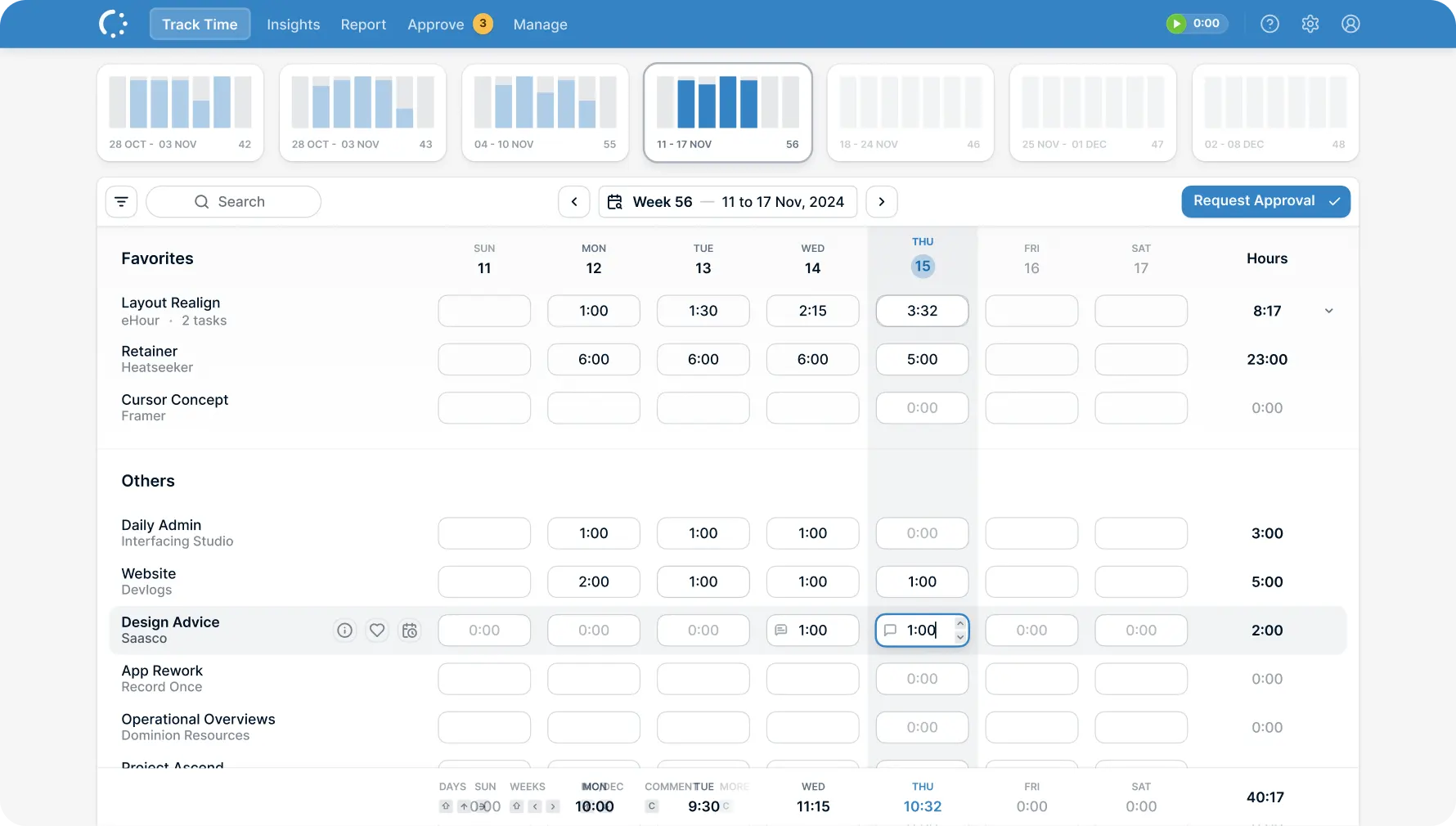
Built for how lawyers work
Attorney time tracking that's fast to fill in, separates billable from internal, and exports clean data for invoicing.
Features

Billable hours tracker that fits your caseload
Log hours in a weekly grid that shows all your clients and cases at a glance. Set different rates per client or case, and reports calculate revenue automatically - so you always know where your time goes and what it's worth.

Timekeeping that takes seconds
A familiar spreadsheet layout. Timer or manual entry - both land in the same timesheet.
Looks like a spreadsheet. Clients in rows, days in columns. If you've used Excel, you already know how to use eHour.
Timer or manual. Start a timer when you begin client work, or fill in the weekly grid at the end of the day. Your choice, same result.

Your hours, fully documented
eHour records what you enter with a complete audit trail. Simple legal time tracking that meets compliance requirements.
Every entry logged. Full audit trail of who entered what and when. Approved hours lock automatically - no accidental edits to last month's billing.
GDPR compliant, EU hosted. Your data stays in Europe, protected by EU privacy law. ISO 27001 certified.
What do our users say?
I love how intuitive and adaptable eHours is, with plenty of ready-made reports that are easy to customize. The support team is quick to respond and truly committed to finding solutions. The constant improvements and new features are a great bonus.

Inga Kuncaitė
Reiz Tech
Try eHour free for 14 Days
Set up in minutes. No card, no call with sales.
No payment required
Access to all features
Takes seconds to get started
Then €4.99/user/month
Try Now!